
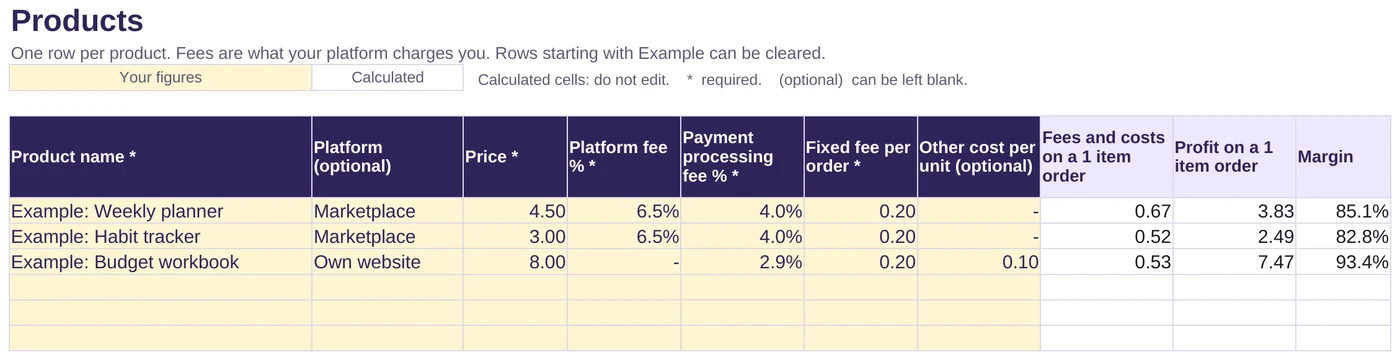
Spreadsheet for Excel, also opens in Google Sheets
Digital Product Profit Tracker
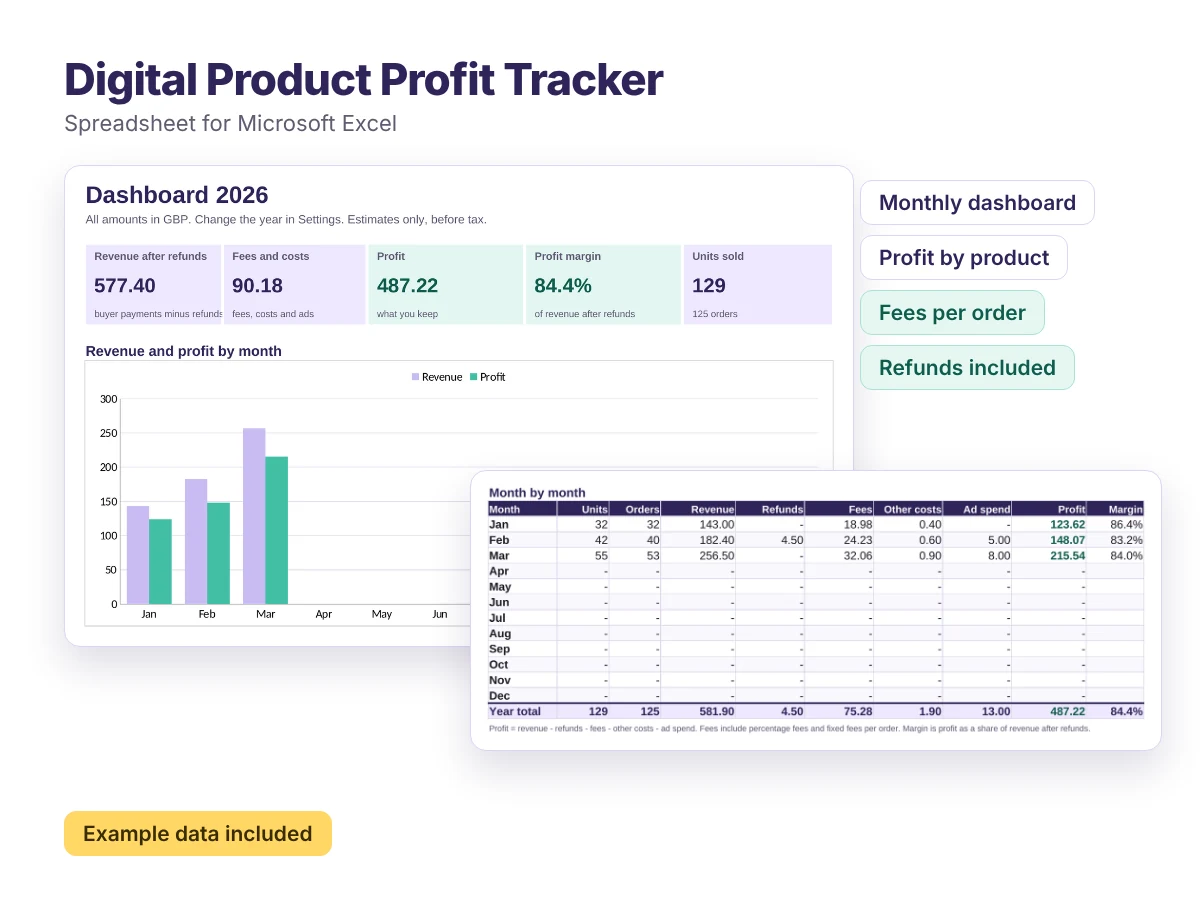
A ready-made spreadsheet that shows what you actually earn from every digital product, month by month.
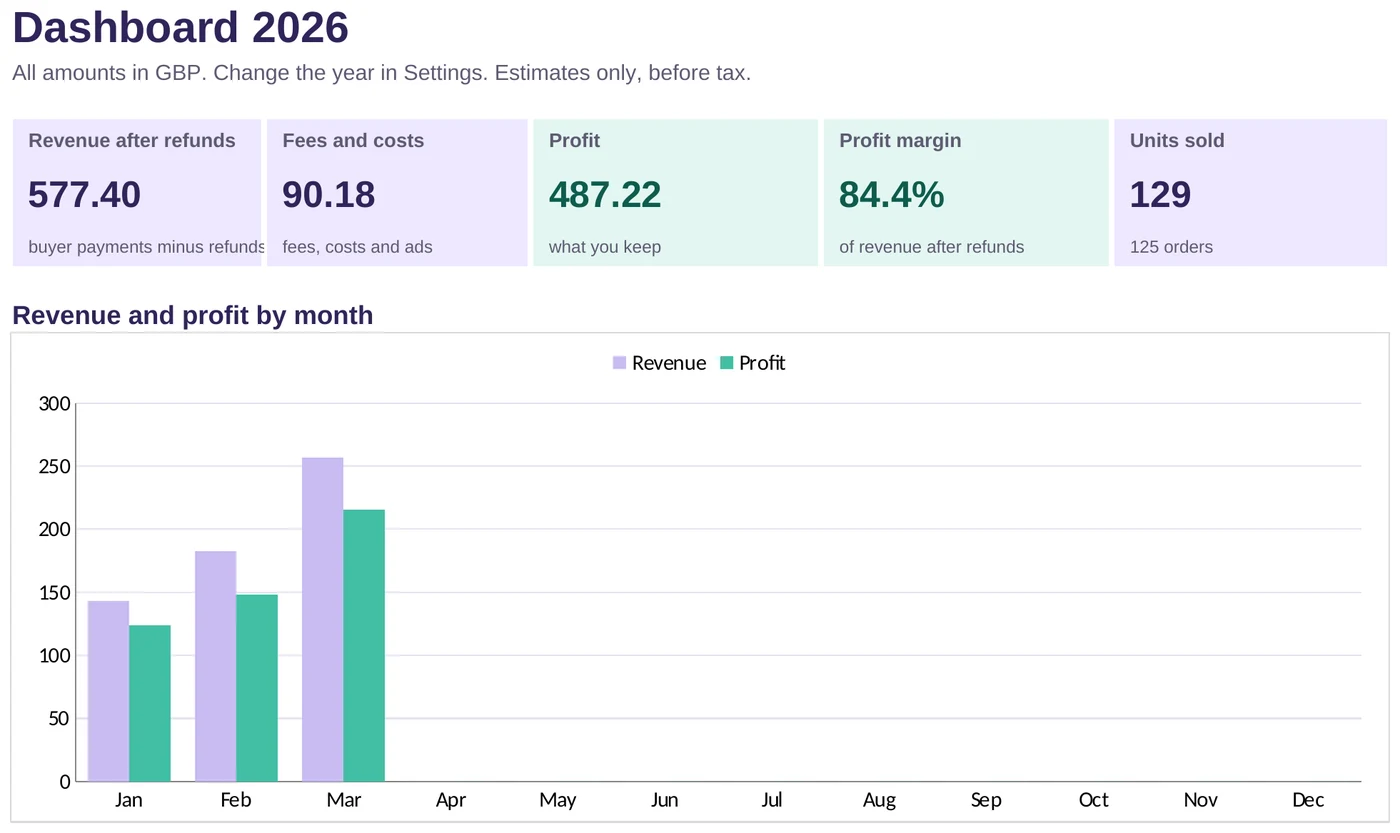
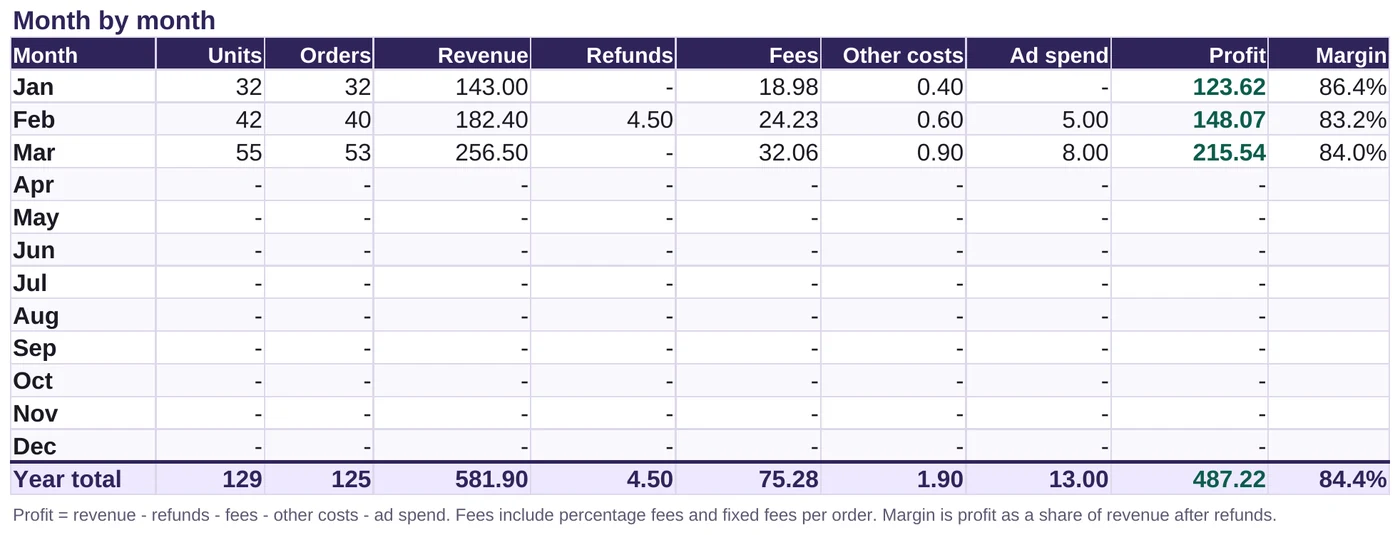
- Monthly dashboard with revenue, refunds, fees, costs and profit
- Profit and share of profit for every product
- Enter your own fees per product, so it works for any platform
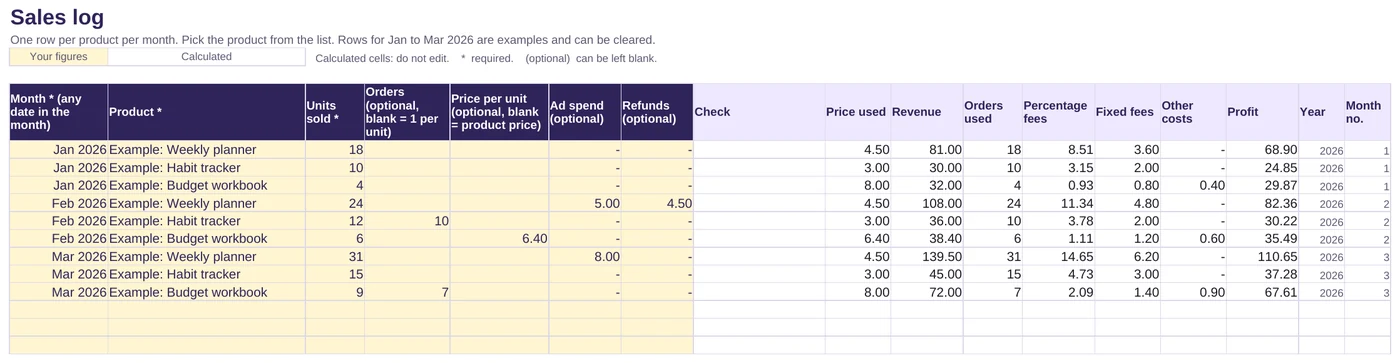
- Fixed fees counted per order, not per copy, so multi-copy orders are right
- Example data included so you can see it working straight away
What is included
- The tracker spreadsheet (.xlsx) with five tabs: Start here, Dashboard, Settings, Products and Sales log
- Room for 50 products and 600 sales log rows, enough for a year of monthly sales for every product
- A revenue and profit chart by month
- A Start here guide, a colour key on every sheet and protected formula cells, so nothing gets overwritten by accident
Who it is for
- Sellers of printables, planners, templates, digital art and other downloads
- Sellers using more than one platform, each with different fees
- Anyone who has outgrown the free Profit Calculator and wants to track real sales over time
How it works
Add your products
Enter each product with its price and the fees your platform charges.
Log your sales
Once a month, add how many of each product you sold, plus orders, ad spend or refunds if you have them.
Read your dashboard
Monthly and yearly totals, your best products and your margin update automatically.
Files and requirements
- File: Microsoft Excel workbook (.xlsx)
- Made for Microsoft Excel. Also opens in Google Sheets: upload it to Google Drive and open it with Google Sheets
- Currency: enter amounts in any currency. The label is changeable; no conversion is applied
Licence
Free for use in your own business. Please do not resell or redistribute the spreadsheet. If you want to share it, link to this page instead.
Any figures the files help you work out are estimates, not financial, tax or legal advice.
Frequently asked questions
Is it really free?
Yes. There is no sign-up and no email address needed. Just download the file. If it helps you, you can buy me a coffee, but that is entirely optional and does not unlock anything.
Do I need Microsoft Excel?
No. It is made for Excel, but it only uses standard functions that Google Sheets also supports, so you can upload it to Google Sheets, which is free with a Google account. Sheet protection may not carry over, so take care not to type over the white formula cells.
Can I use it for more than one year?
Yes. Your sales log keeps every month you enter. Change the year in the Settings tab to see a different year on the dashboard.
Does it work out tax?
No. It shows profit before VAT, sales tax and income tax. Speak to an accountant or your tax authority about what applies to you.
How does it handle fixed fees and refunds?
Fixed fees are charged once per order, so you can record how many orders your units came from. Refunds are taken off your revenue and profit. The tracker assumes the platform keeps its original fees on refunded sales, and the Start here sheet explains how to adjust if yours does not.
Is it only for Etsy sellers?
No. You enter the fees for each product, so it works for any marketplace, your own website, or a mix.
Found this useful?
Everything here is free. If it saved you some time, you can support the site with a coffee. It is entirely optional.
Also free
-
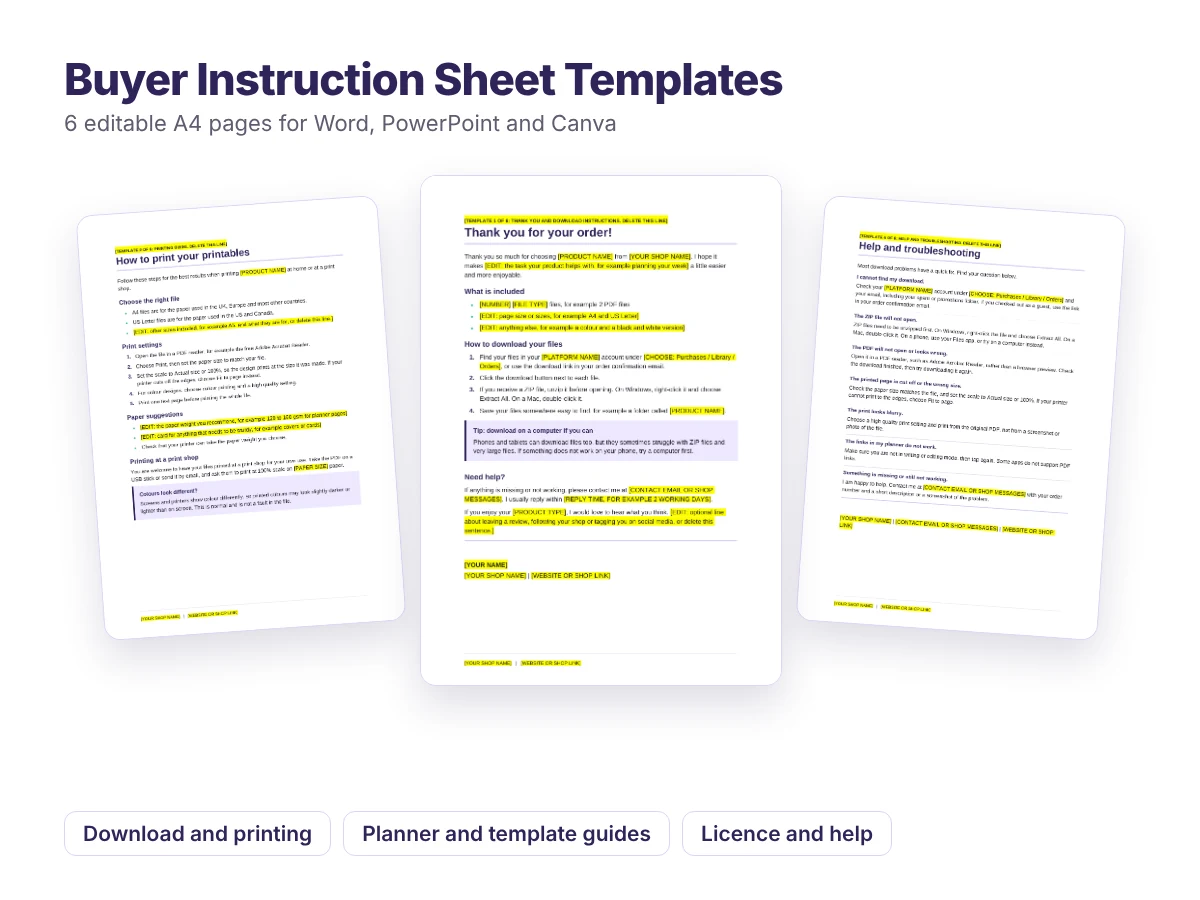
Editable templates for Word, PowerPoint and Canva
Buyer Instruction Sheet Templates
Six ready-to-edit pages to include with your digital downloads, so customers know exactly how to download, print and use what they bought.
Free