Make smarter decisions about your digital products
Free, straightforward tools for people selling printables, planners, templates, digital art and educational resources. Calculate your profit after fees, find the right price, compare bundles, set a sales target and plan your launch.
Free to useNo account or subscriptionYour numbers stay in your browser
Example: one sale of a printableEstimate
Illustrative fee rates only. Enter your own platform's fees in the Profit Calculator.
Everything you need to check the numbers before you launch
Each tool does one job well. Use them on their own or work through them in order.
Selling on Etsy, Gumroad or your own website? Enter your own fees and costs to estimate your profit and make more informed pricing decisions. The tools do not look up or check any platform's current fees, so use the rates from your platform's own fee page.
-
Profit Calculator
See how much you could keep from each sale after platform fees, processing fees and other costs.
Shows profit per sale, margin and totals for any number of sales.
-
Pricing Calculator
Work backwards from your target profit or margin to find a suitable selling price.
Suggests a rounded price and compares nearby prices.
-
Bundle Calculator
Compare bundle prices, discounts, customer savings and potential profit.
Try different discounts and see the profit on every option.
-
Sales Goal Calculator
Estimate how many sales you need to reach a monthly revenue or profit target.
Turns a money goal into sales per month and per day.
-
Launch Checklist
Organise the key tasks involved in preparing a digital product for launch.
33 practical steps you can tick off, print or download.
Three simple steps
Pick a tool
Choose the question you want answered, from "what do I keep?" to "how many sales do I need?".
Enter your own numbers
Add your price and the fees that apply on your platform. Example values show you how it works.
Use the results
See clear estimates instantly, compare options and take the figures into your next decision.
Built for beginners and small independent sellers
If you sell digital downloads and would rather not build a spreadsheet to understand your fees, these tools are for you. They work for any platform, because you enter the fees that apply to your own shop.
- Printable planner and worksheet sellers
- Digital artists and colouring page creators
- Canva and social media template designers
- Digital planner and journal makers
- Teachers and tutors selling educational resources
- Anyone selling downloads on Etsy, Gumroad or their own website
Help with the money side of selling digital downloads
Whether you sell printable planners on Etsy, templates on Gumroad or worksheets on your own website, the hard part is rarely making the product. It is knowing what to charge, what each sale really earns and how many sales you need. These free tools answer those questions using your own numbers.
Selling digital downloads on Etsy
Etsy brings buyers to you, but each sale carries several fees: a listing fee, a transaction fee, payment processing and, on some sales, advertising fees. On a low priced printable they add up quickly, and busy categories make it tempting to price too low. The Profit Calculator shows what you keep, and the Pricing Calculator finds a price that still works after fees.
Selling on Gumroad
Gumroad gives you more freedom over pricing, including pay what you want, but you usually bring your own audience. That makes every visitor count and every pricing decision matter. The Sales Goal Calculator turns an income goal into a realistic number of sales, and the Bundle Calculator checks whether a bundle is worth the discount.
Selling on your own website
Selling through your own site with a checkout provider such as Lemon Squeezy, Payhip or Stripe gives you more control and a direct relationship with customers. It also means you handle more yourself, from checkout fees to customer questions and download problems. The Launch Checklist covers what to test before your first sale.
A spreadsheet and templates for your shop
Take the free tools further with a profit tracker spreadsheet and ready-to-edit buyer instructions. No sign-up, just download.
-
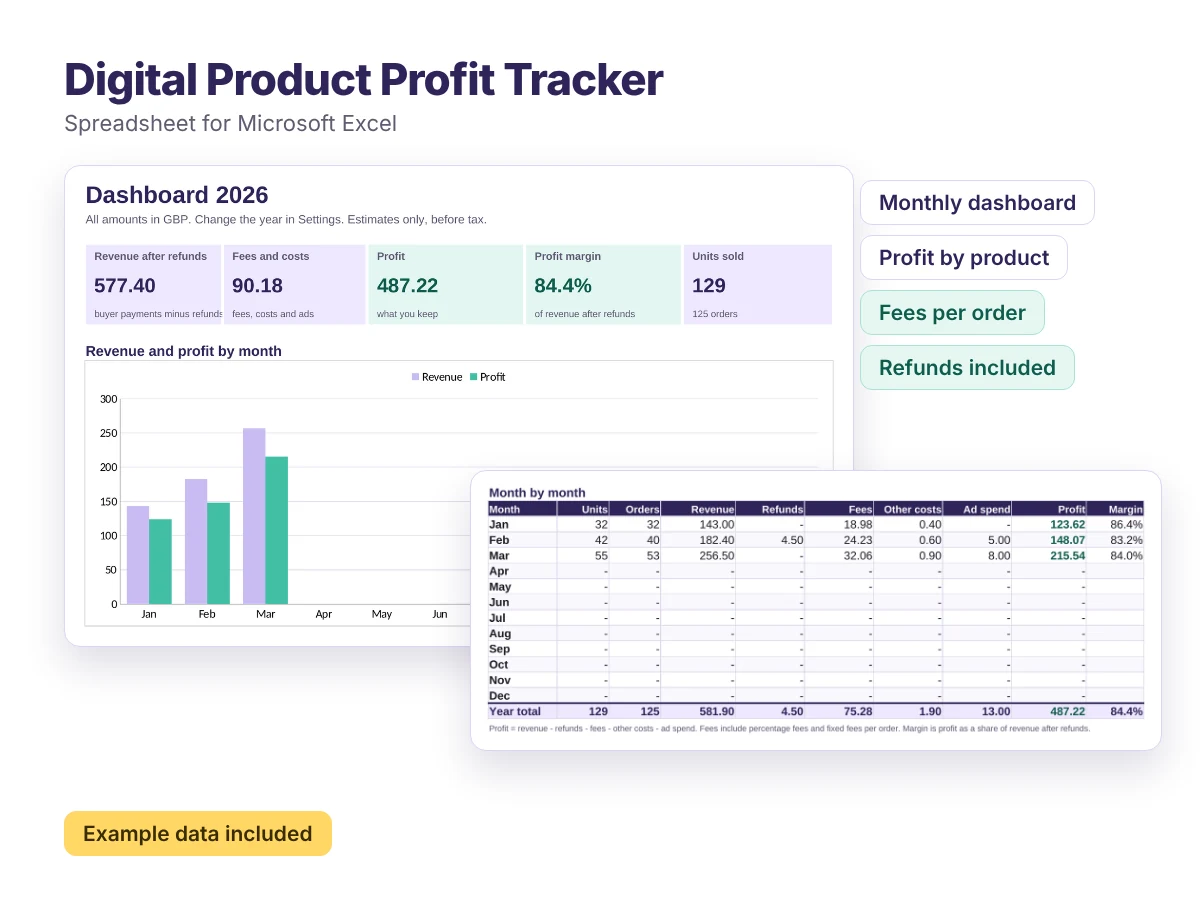
Spreadsheet for Excel, also opens in Google Sheets
Digital Product Profit Tracker
A ready-made spreadsheet that shows what you actually earn from every digital product, month by month.
Free -
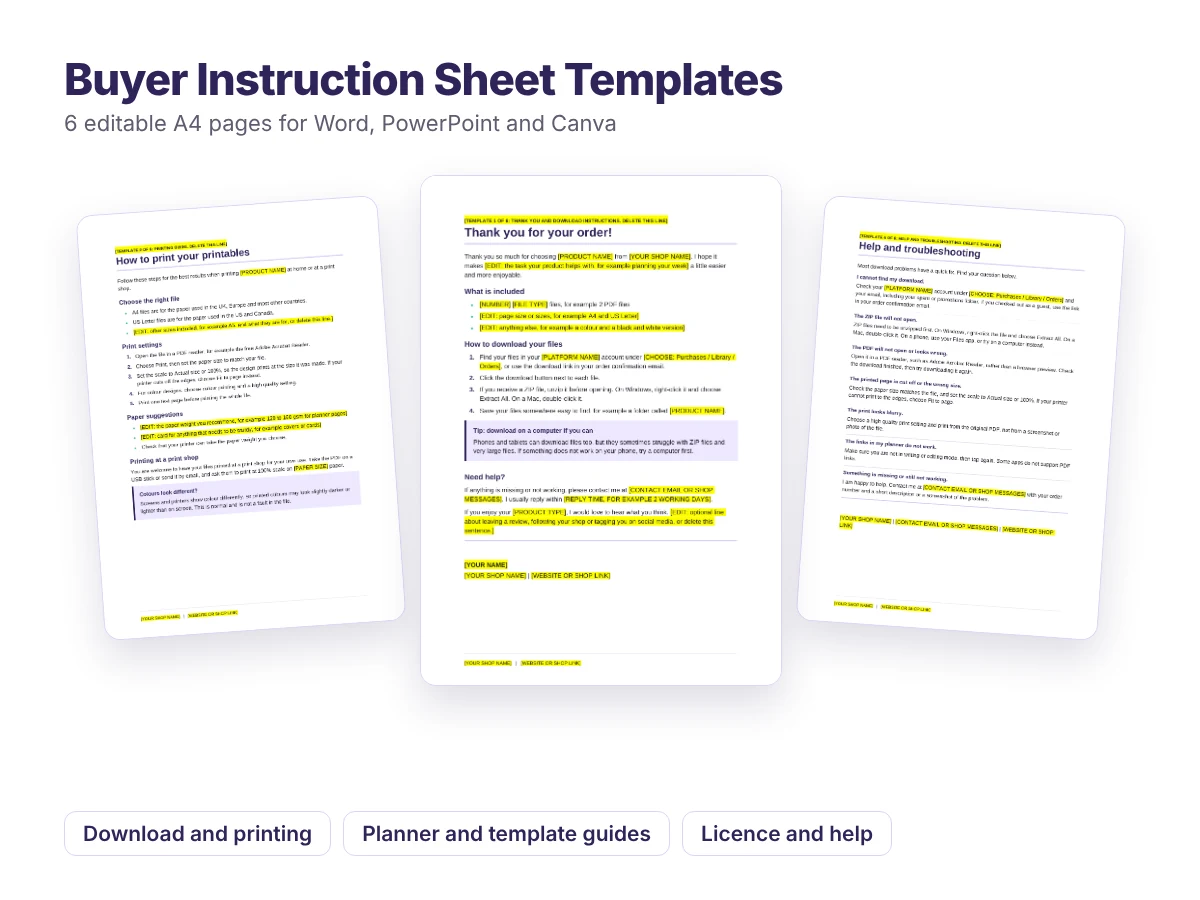
Editable templates for Word, PowerPoint and Canva
Buyer Instruction Sheet Templates
Six ready-to-edit pages to include with your digital downloads, so customers know exactly how to download, print and use what they bought.
Free
Understanding what a digital sale really costs
Digital products have no printing or postage, but every sale still carries costs. Knowing them is the first step to a price you feel good about.
The costs to account for
- Percentage feesTaken as a share of each sale by the marketplace and the payment provider. They grow as your price grows.
- Fixed feesA flat amount on each order or listing. They hit low priced products hardest.
- Other per-sale costsAdvertising, or licences for fonts and graphics that are charged per sale.
- TaxesVAT, sales tax and income tax depend on where you and your customers are. The tools do not calculate tax.
Three habits worth building
Price from your costs upwards. Start with the minimum price that reaches your target, then decide how far above it to go. The digital download pricing calculator does the maths.
Watch fixed fees on cheap items. A flat fee on a low priced download can take a far bigger share than the same fee on a larger product. Bundles are one way to spread it, and the bundle calculator shows the trade-off.
Turn goals into sales numbers. "I want to earn more" is hard to act on. "I need about seven sales a day" is not. Try the sales goal calculator.
Read the guides
Questions digital sellers often ask
How much should I charge for a printable?
Start from your costs. The Pricing Calculator works out the lowest price that reaches your target profit after fees. Then compare it with similar products.
How much does Etsy take from a digital sale?
It depends on your price, country, payment method and any advertising. Enter the fees on your shop's fee page into the Profit Calculator to see the total.
How many sales do I need to make £1,000 a month?
Divide your goal by the profit from each sale, not the price. The Sales Goal Calculator does this for you and shows a daily average.
Should I bundle my digital products?
A bundle can raise the value of each order, but the discount comes out of your profit. The Bundle Calculator compares both options side by side.
What should I check before launching a digital product?
Test every file, the download process and your customer instructions. The Launch Checklist has 33 practical steps.
Is this site part of Etsy or Gumroad?
No. Digital Seller Tools is independent and not affiliated with any platform. Always check the current fees on each platform's own fee page.